
You ask an AI assistant for a summary, a customer email or a briefing note. What comes back reads well: the grammar is clean, the structure is tidy and the tone is confident. But it is generic, it misses the point you were making, and by the time you have reworked it you could have written it yourself.
The instinct is to blame the tool. More often, the cause is the brief. The ROSETTA™ prompting framework is a simple way to make sure your instructions contain what the model needs. This article explains why instructions matter, shows the framework on one realistic task, and gives you a prompt to copy and adapt.
Why does the quality of your instructions matter?
A large language model (LLM) such as ChatGPT, Claude or Gemini has not sat in your meetings, read your strategy or met your customers. It works from what you give it. Your priorities, your reader and your definition of a good answer are invisible unless you supply them, and it cannot reliably infer them.
So it fills the gaps. Every detail you leave unstated, from audience and length to what to emphasise, becomes a decision the model makes for you, and it tends towards the most typical answer. That is why vague prompts so often produce text that is plausible but generic, or slightly off target.
Think of briefing a capable new colleague who works quickly but knows nothing about your business. A good brief states the intent, gives the relevant context and describes what a good result looks like. The quality of what comes out is closely tied to the quality of what goes in.
What is the ROSETTA™ prompting framework?
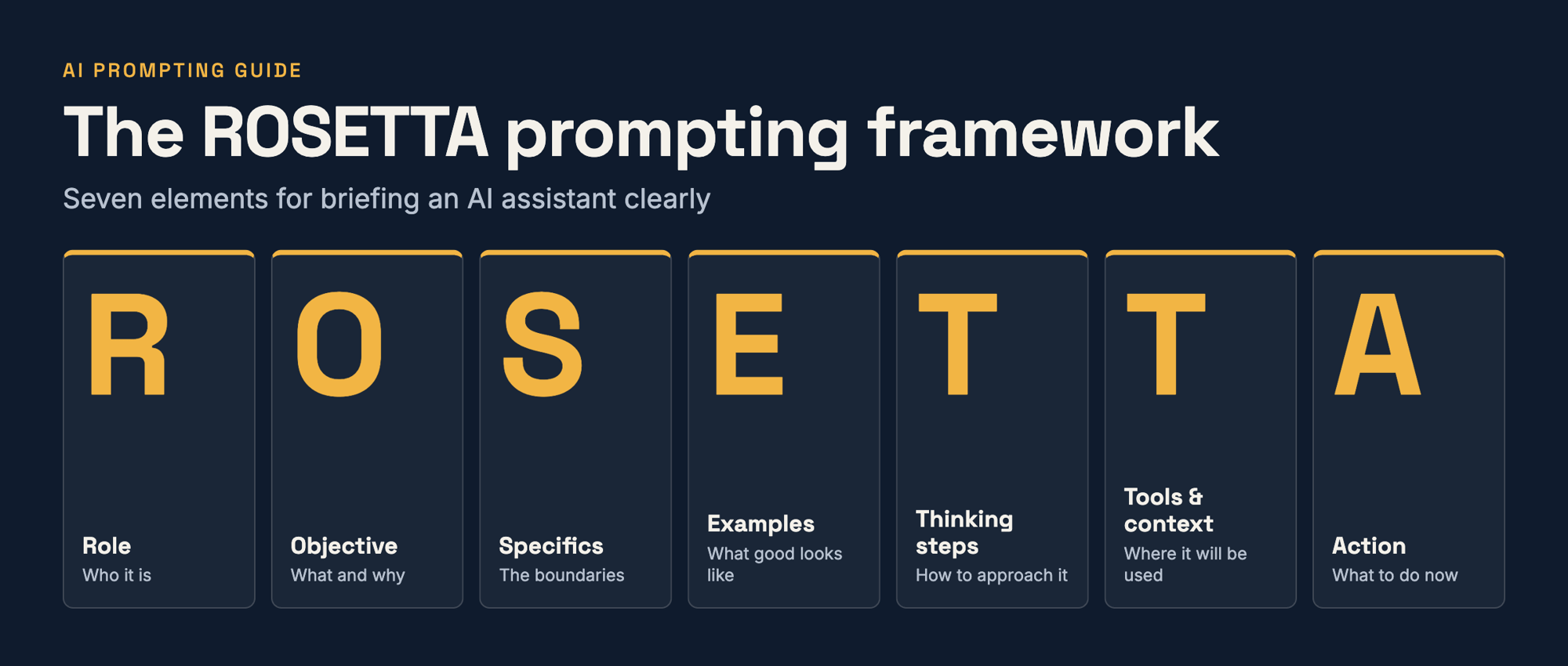
The ROSETTA™ prompting framework is a seven-part structure for writing clear AI prompts: Role, Objective, Specifics, Examples, Thinking steps, Tools & context and Action. It helps you give an AI assistant the intent, context and detail it needs to produce more relevant, consistent and usable results.
| Element | The question it answers | Typical opener |
|---|---|---|
| R: Role | Who should the AI act as? | “Act as…” |
| O: Objective | What am I trying to achieve, and why? | “My goal is…” |
| S: Specifics | What are the boundaries: constraints, format, tone, audience? | “Keep it to… Write for…” |
| E: Examples | What does good look like? | “Use this style, template or reference…” |
| T: Thinking steps | What approach and checks should it follow? | “Before drafting, list your assumptions…” |
| T: Tools & context | Where will this be used, and what does it need to know? | “This will be used in…” |
| A: Action | What exactly should it do now? | “This is what I want you to do…” |
The ROSETTA™ framework works best as a checklist for spotting what is missing from a prompt, not a form to complete every time.
A worked example: from meeting notes to decision briefing
Take a task most leaders will recognise: turning rough notes from a leadership meeting into a briefing the directors can decide from. The scenario and details here are illustrative.
The weak prompt
Summarise these meeting notes for the leadership team.
What is missing, and why it matters
Nothing here is wrong, but almost everything is left to chance. The model does not know:
- The decision the directors face, so it cannot judge what deserves emphasis.
- Who is reading, and how much time they have, so it cannot pitch the length or level.
- What good looks like, so it picks its own structure and tone.
- Where the output will be used, so it cannot format it sensibly.
- How to treat gaps in the notes, so it may smooth over uncertainty rather than flag it.
Building a better prompt with ROSETTA™
Role. Tell the model whose perspective to take. A role shapes expertise, tone and viewpoint, and steers the answer away from the generic. Here, an experienced chief of staff who writes balanced decision briefings.
Objective. State what you want and why. The aim here is not to record the meeting but to help the directors decide. Models work towards the goal you declare, so a vague objective is a common reason for a vague answer.
Specifics. Add the guardrails: length, tone, audience level, style, format and what to include or leave out. Without them, assistants tend to over-explain or go generic. Here: a word limit, British English, a time-poor reader and a rule to use only what is in the notes.
Examples. Give the model a pattern to follow: a template, a past output you liked or a reference text. A simple five-part structure is enough here, or paste in a briefing you were pleased with. Examples help keep output consistent and close to your preferred style.
Thinking steps. Ask the model to follow a sensible process rather than jump to an answer: identify the decision first, state its assumptions, ask questions when something essential is missing, and check its draft against the source. This structures the work and gives you something to review. It does not guarantee correctness.
Tools & context. Describe where the output will be used and the background the model cannot know: platform limits, formatting rules, who receives it and what happens next. People most often forget this one. A briefing pasted into an email needs different formatting from slide copy.
Action. Finish by saying plainly what you want done now, including the output format. It sounds obvious, but it is easy to omit when the rest of the prompt is descriptive.
The complete prompt
Replace the bracketed text with your own details.
Role:
Act as an experienced chief of staff who writes clear, balanced decision briefings for senior leadership teams.

Objective:
My goal is to help our directors decide at [day]'s meeting whether to [the decision, e.g. extend the current pilot to two further departments]. I need a decision briefing, not a record of what was said.

Specifics:
- Maximum 350 words, written for time-poor directors
- British English, neutral tone, no jargon
- Lead with the recommendation, then the reasoning
- Use only information in my notes. Do not add facts, figures or names that are not there

Examples:
Use this structure:
1. Decision required
2. Recommendation
3. Options considered (one line each, with the main advantage and risk)
4. Open questions and assumptions
5. Next steps (owner and date, or "not agreed")

Thinking steps:
Before drafting, identify the decision the notes point towards and list your assumptions. If essential information is missing, ask me up to three questions first. Flag anything unclear rather than filling the gap. Then check that every claim traces back to the notes and every next step has an owner or is marked "not agreed".

Tools & context:
The briefing will be pasted into an email to the directors, who will read it before the meeting, so use plain text with simple headings. The notes are rough, written during the meeting. [One line on why this decision matters to the business.]

Action:
Write the decision briefing, ready to paste into an email.

Meeting notes:
[Paste your notes here]
What difference to expect
The table below describes what you are likely to see. It is illustrative: we have not tested these prompts, and results vary by model and by the notes you supply.
| Weak prompt | ROSETTA prompt | |
|---|---|---|
| Shape | Chronological recap of the discussion | Decision first, then options and risks |
| Emphasis | Spread evenly across the points raised | Weighted towards the decision required |
| Gaps in the notes | May be smoothed over | More likely to be flagged as open questions |
| Next steps | Often generic | Owners and dates, or marked “not agreed” |
Even then, read the result against your notes before it goes anywhere.
Do you need every element in every prompt?
No. For a quick, one-off question, seven elements are overkill. Thorough does not mean long: it means including what matters, so ask which elements would change the answer and include those.
The ROSETTA™ framework earns its place when the output matters, such as work for customers, colleagues or leadership, and when you will repeat a task. For a reusable assistant or saved set of instructions, a clear structure helps produce consistent results. Across a team, a shared framework also makes good prompting easier to learn, repeat and review.
What can better prompting not do?
Better prompts improve the likelihood of a strong output; they do not guarantee one. A model can still state something incorrect with confidence, so facts, figures and names need checking, and the judgement remains yours. An instruction such as “use only the information in my notes” helps but does not replace verification. Treat the first response as a draft: read it critically, say what to change and iterate.
Try ROSETTA™ on a real task
Pick a task you do regularly. Run your usual prompt first, then rewrite it using the ROSETTA™ framework and compare both against what you actually needed. Notice which elements made the biggest difference; those are the ones worth keeping in your own shorthand.
Innovation Visual helps teams develop practical AI skills and apply them to valuable business tasks.
Delivering real impact with AI
Explore our expertise in technology or get advice from our experts - Every situation and goal is different!