

In my experience working with businesses across the full spectrum of AI maturity, the single most common reason that people get poor results from AI tools is not that they've chosen the wrong model or that the technology isn't capable enough, but they haven't learned how to give a good instruction.
Prompting is a skill and like most skills, it improves dramatically with the right framework and a little practice. And unlike most of the technical aspects of AI which genuinely require specialist knowledge, prompting is something every professional can get meaningfully better at in a very short time.
This matters particularly in HR, where the outputs of AI-assisted work often have real consequences for real people. A vague prompt doesn't just produce a mediocre output, it can produce an output that misses legal requirements, reflects model bias, or contains hallucinated information. A well-constructed prompt dramatically reduces all those risks.
Think of AI as a Brilliant New Graduate
The mental model I find most useful and that I share in every training session we run at Innovation Visual is this:
treat your AI like a highly capable graduate on their first week in the job.
.png?width=772&height=483&name=BlogCase%20Study%20Images%20(16).png)
They are intelligent, well-read, and genuinely capable of impressive work. But they don't know your organisation, your clients, your tone of voice, your policies, or your specific requirements. They haven't absorbed the institutional knowledge you've built over years of practice. And crucially they will not ask for clarification unless you invite them to. If you give them a vague brief, they will produce a confident-looking output that may be completely wrong for your purposes.
That is exactly how a large language model behaves. It is pattern-matching against everything it has learned in training. The more context, instruction, and constraint you give it, the more accurately it can match your actual need.
The CICO Framework
At Innovation Visual we use a four-part structure for building prompts that consistently produce high-quality outputs.
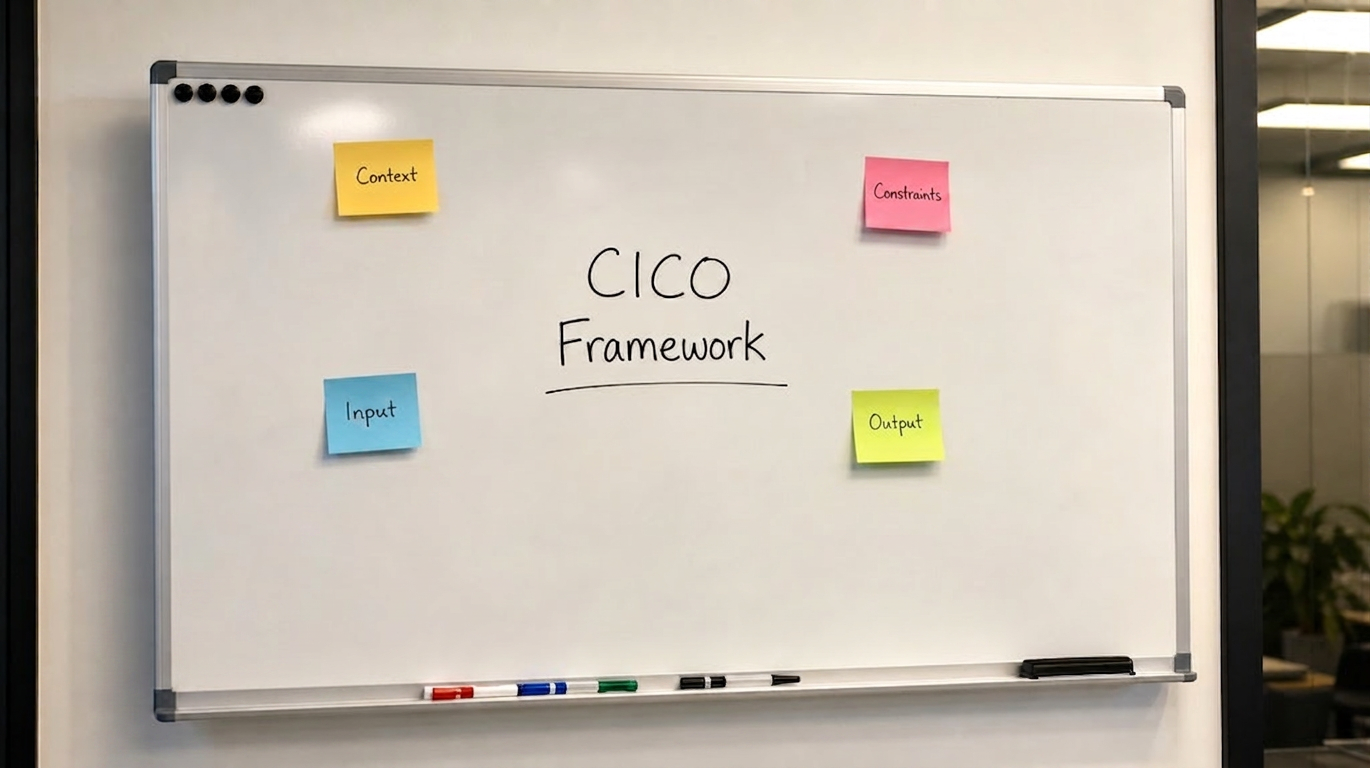
We call it CICO: Context, Instructions, Constraints, Output
C - Context
Tell the model who it is, who it's working for, and what the purpose of the task is. This is the foundational layer, without context, the model will produce a generic output. With good context, it can produce something genuinely tailored.
Context should answer:
- What is the situation?
- Who is the audience?
- What does the model need to know about your organisation or role to do this task well?
I - Instructions
Be explicit about the task. Don't assume the model will infer what you want
State it clearly:
- Write
- Summarise
- Analyse
- Compare
- Draft
- Generate
Instructions should answer:
- What exactly do you want the model to produce?
- What is the task?
C - Constraints
This is where most people underinvest, and it's the element that makes the biggest difference to output quality. Constraints tell the model what it should and shouldn't do: word limits, tone, what sources to draw on, what to avoid, how to handle uncertainty.
In an HR context, constraints are also your primary risk management tool. Instructing the model to only use the information you provide, to flag where it is uncertain, and to avoid making inferences about legal requirements without citing sources, these constraints are what keep AI-assisted HR work safe.
Constraints should answer:
- What are the boundaries?
- What format, tone, length?
- What should it avoid?
- What should it reference?
O - Output
Tell the model what you want the response to look like. A table? A bulleted list? A formal letter in a specific format? A structured document with headings? Being explicit about the output format saves significant editing time and produces more usable results.
Output should answer:
- What format should the response take?
- How should it be structured?
Four Worked HR Examples
.png?width=1020&height=638&name=BlogCase%20Study%20Images%20(17).png)
Here's how CICO works in practice across four common HR tasks.
Example 1: Writing a Job Description
Context: You are an experienced HR professional working for a mid-sized UK professional services firm. We are hiring a Senior HR Business Partner to support our technology division of approximately 200 people across three offices.
Instructions: Write a job description for this role.
Constraints: The tone should be professional but not corporate or jargon-heavy. The description should reflect our values of transparency, autonomy, and continuous learning. Do not include salary details. Ensure the language is gender-neutral and inclusive. Maximum 500 words.
Output: Produce the job description in standard format with sections for: Role Summary, Key Responsibilities, Requirements, and What We Offer.
Example 2: Summarising an Interview
Context: You are helping an HR team evaluate candidates for a Head of People Operations role. The following is a transcript from a 45-minute competency-based interview. The role requires strong change management experience, stakeholder influence skills, and demonstrable data literacy.
Instructions: Summarise the candidate's responses and provide an assessment against the three key competencies.
Constraints: Base your assessment only on what is said in the transcript provided. Do not infer or assume. If the candidate did not clearly address a competency, say so explicitly rather than speculating. Keep the summary to 300 words.
Output: Produce a structured summary with a section for each competency (Strong Evidence / Some Evidence / Insufficient Evidence) followed by a 3–4 sentence overall assessment.
Example 3: Creating an Onboarding Communication
Context: You are writing on behalf of a UK technology company. A new employee, [Name], is joining as a Senior Product Designer. Their start date is [Date]. They will be based in our London office. Their line manager is [Manager Name].
Instructions: Write a welcome email to be sent from the HR team one week before their start date.
Constraints: The tone should be warm, clear, and genuinely welcoming, not corporate. Include practical information about what they need to bring on day one, who they will meet, and where to direct any questions. Do not include anything about salary, benefits, or contractual information (these are handled separately). Maximum 350 words.
Output: A professional email formatted with a clear subject line, greeting, body paragraphs, and sign-off.
Example 4: Policy Review Summary
Context: You are supporting an HR team at a UK employer with 500 staff. The attached document is our existing flexible working policy, last updated in 2022. UK flexible working legislation changed in April 2024 under the Employment Relations (Flexible Working) Act 2023.
Instructions: Compare our existing policy against the 2024 legislative requirements and identify any gaps or areas that need updating.
Constraints: Only reference the legislative requirements as stated in the document I provide alongside this prompt. Do not draw on your general training data for legal information, as this may be outdated. For each gap identified, note the specific legislative requirement it relates to. If you are uncertain whether a gap exists, flag it as requiring legal review rather than stating it as a definite gap.
Output: A table with three columns: Policy Area | Current Position | Required Update (or 'No change required'). Follow the table with a short paragraph summarising the overall assessment and recommended priority actions.
One Final Point: Build Your Prompt Library
The other recommendation I consistently make to HR teams is to treat well-crafted prompts as reusable assets. If you've invested time in writing a prompt that reliably produces a strong job description, or a useful interview summary, or a well-formatted policy gap analysis - save it.
Share it with your team. Build it into a custom GPT or a shared prompt library so that the quality of the output doesn't depend on whoever happened to write the prompt that day.
“The best AI outputs in an organisation aren't the result of individual brilliance at prompting. They're the result of treating prompts as institutional knowledge - documented, shared, and continuously improved.”
This is one of the areas where AI adoption moves from individual productivity gains to genuine organisational capability. At Innovation Visual, building these systems and libraries is often one of the first practical steps we take with clients who are serious about embedding AI effectively. It's unglamorous work, but it's where the compounding value comes from.
Getting prompting right is not the whole picture of AI in HR. But it is an excellent place to start and for most organisations, it's also where the most immediate returns are sitting, waiting to be captured.
Turning This into Something Practical
If you’re already using AI in your day-to-day HR work, prompting is one of the fastest ways to improve the quality, consistency, and safety of what you’re producing.
The question then becomes:
- Where are you currently getting inconsistent or unreliable outputs?
- Which prompts could be standardised and reused across your team?
- And how do you move from individual experimentation to something more structured?
That’s where most HR teams are right now. People are using AI, getting value from it, but the quality of outputs varies depending on who’s prompting and how. That’s exactly where we tend to come in.
If you want a clearer view of where AI can be applied across your HR function and how to structure it properly, our AI Opportunities Audit is a good place to start. Discover more about our AI Opportunities Audit.
Or, if you’d prefer to upskill your team more directly, we run small, practical AI workshops focused on prompting, use cases, and safe implementation. Learn more about our AI workshops.
If you’ve found this useful, it’s often worth sharing internally with colleagues across HR, operations, or leadership. In most organisations, the real value comes when prompting moves from individual skill to shared capability. That’s when you start to see consistent, scalable impact from AI.